Skip to contentSkip to footer


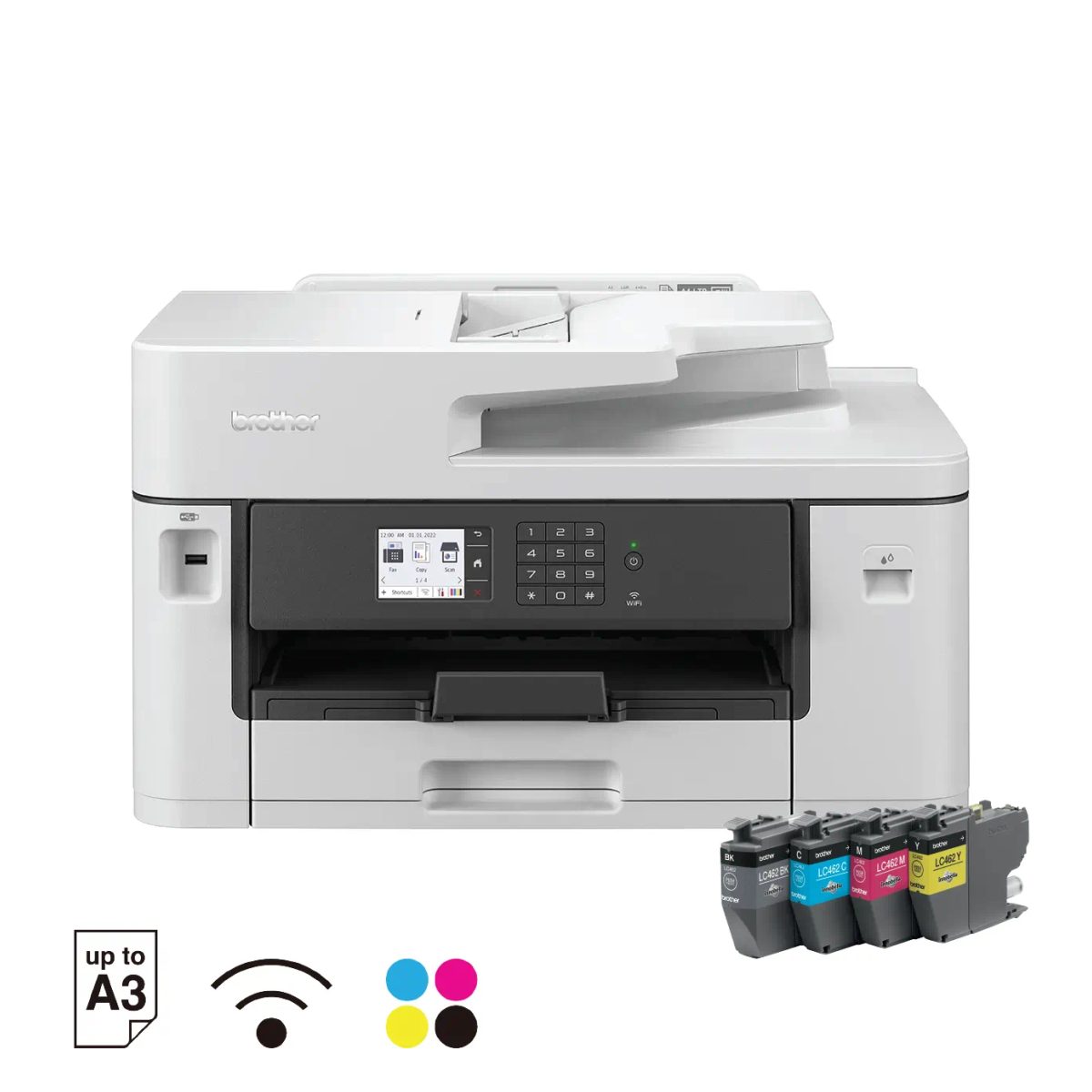
Brother MFC-J2340DW Inkjet Printer
$373.00
The Brother MFC-J2340DW is an inkjet printer that prints, scans, copies and faxes, with A4 print speeds of up to 28 ipm in black and colour.
Description
Description
The Brother MFC-J2340DW is an inkjet printer with Print, Scan, Copy and Fax functions, built for A4 printing at up to 28 ipm in both black and colour.
Brother MFC-J2340DW features
It prints automatically on both sides of the paper with Auto 2-sided (Duplex) printing, and a 50-sheet Auto-Document Feeder (ADF) handles multi-page documents. A 2.7” colour LCD touchscreen controls the machine. A full ink cartridge is included, with a yield of up to 550/500 pages (black/colour). It connects over WiFi, AirPrint, Mopria, WiFi Direct, LAN and USB 2.0, and works with the Mobile Connect app.
Supported media includes plain paper, inkjet paper (coated paper), glossy paper and recycled paper, with a maximum capacity of up to 250 sheets of 80 gsm plain paper.
Key specifications
- Functions: Print, Scan, Copy, Fax
- Printer type: Inkjet Printer
- Print speed: up to 28.0 (Mono) / 28.0 (Colour) ipm
- First print out time (FPOT): 4.4 (Mono) / 4.6 (Colour) seconds
- Connectivity: WiFi, AirPrint, Mopria, WiFi Direct, LAN, USB 2.0
- Duplex printing: Auto 2-sided
- Document feeder: 50-sheet Auto-Document Feeder (ADF)
- Display: 2.7” colour LCD touchscreen
- Included ink: full ink cartridge; yield up to 550/500 pages (black/colour)
- Paper type: Plain Paper, Inkjet Paper (coated paper), Glossy Paper, Recycled Paper
- Paper size: A4, Letter, Executive, B5, A3, Ledger, B4, Legal, Mexican Legal, India Legal, Folio, A5, B6, A6, C5 Envelope, Com-10, DL Envelope, Monarch, Photo (10x15cm/4×6″), Photo-L (9x13cm/3.5×5″), Photo-2L (13x18cm/5×7″), Indexcard (13x20cm/5×8″); B5, B4 and B6 size paper are supported only in some countries
- Maximum paper capacity: up to 250 sheets of 80 gsm plain paper
- Dimensions (W x D x H): 530 mm × 398 mm × 305 mm
- Weight: 17 kg
- Ink cartridges: LC462BK, LC462C, LC462M, LC462XLBK, LC462XLC, LC462XLM, LC462XLY, LC462Y
Common questions
Does the Brother MFC-J2340DW print on both sides automatically?
Yes. It has Auto 2-sided (Duplex) printing.
How can the Brother MFC-J2340DW connect?
It connects through WiFi, AirPrint, Mopria, WiFi Direct, LAN and USB 2.0, and works with the Mobile Connect app.
Which ink cartridges does the Brother MFC-J2340DW use?
Brother supplies LC462BK, LC462C, LC462M, LC462XLBK, LC462XLC, LC462XLM, LC462XLY and LC462Y cartridges for it.