Skip to contentSkip to footer


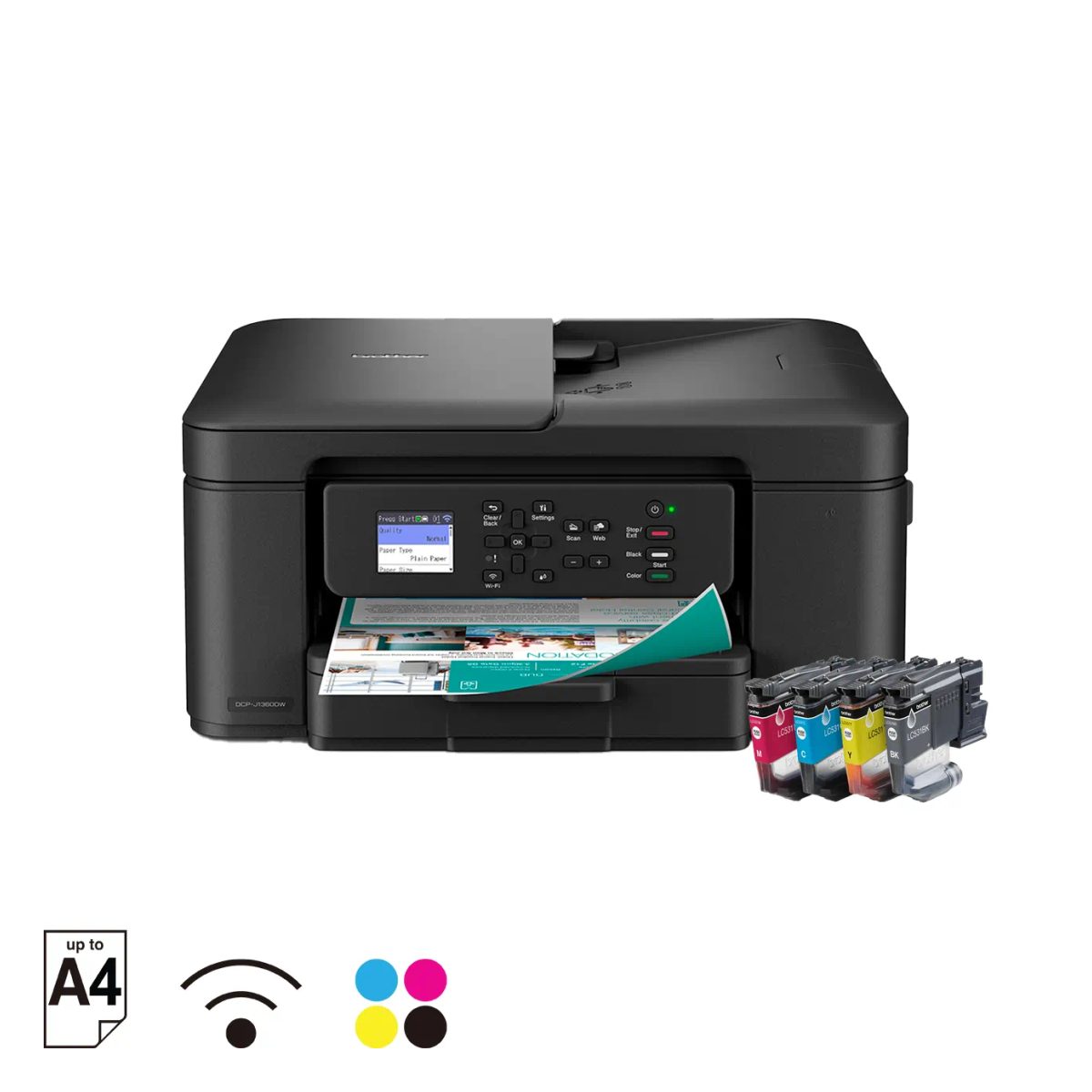
Brother DCP-J1360DW Inkjet Printer
$235.00
Brother DCP-J1360DW compact 3-in-1 wireless inkjet printer with a 20-sheet automatic document feeder, auto 2-sided printing and A4 speeds up to 16 ipm black and 9 ipm colour.
Description
Description
The Brother DCP-J1360DW is a compact 3-in-1 wireless inkjet printer that prints, scans and copies, with a 20-sheet automatic document feeder (ADF). It prints A4 at up to 16 ipm in black and 9 ipm in colour, with auto 2-sided printing.
It connects over Wi-Fi, Wi-Fi Direct or Hi-Speed USB 2.0, supports AirPrint and Mopria, and is compatible with the Mobile Connect app. It has a 1.8″ colour LCD.
Brother DCP-J1360DW key specifications
- Functions: print, scan, copy
- Printer type: inkjet
- Print speed: up to 16 ipm (mono) / 9 ipm (colour)
- First print out time: up to 6.2 seconds (mono) / 9.6 seconds (colour)
- Print resolution: up to 1,200 × 6,000 dpi (Windows)
- 2-sided printing: automatic, on A4, Letter, Executive and A5
- Borderless printing: A4, Letter, A6, Photo (10 × 15 cm), Photo-L (9 × 13 cm), Photo-2L (13 × 18 cm), index card (13 × 20 cm)
- ADF: 20 sheets
- Scan resolution: up to 1,200 × 2,400 dpi (scanner glass); up to 1,200 × 600 dpi (ADF)
- Display: 1.8″ colour LCD
- Memory: 256 MB
- Connectivity: Wi-Fi (IEEE 802.11b/g/n), Wi-Fi Direct, Hi-Speed USB 2.0; AirPrint, Mopria
- Paper capacity: up to 150 sheets of 80 gsm plain paper; output up to 50 sheets
- Paper types: plain, inkjet (coated), glossy, recycled
- Dimensions (W × D × H): 390 × 343 × 148.5 mm
- Weight: 7.6 kg
Common questions
Does the Brother DCP-J1360DW print on both sides automatically?
Yes. Auto 2-sided printing works on A4, Letter, Executive and A5 plain or recycled paper.
Can the DCP-J1360DW scan and copy multi-page documents?
Yes. It prints, scans and copies, and its 20-sheet automatic document feeder takes multi-page originals.
How does the DCP-J1360DW connect?
Over Wi-Fi, Wi-Fi Direct or Hi-Speed USB 2.0. It supports AirPrint and Mopria and is compatible with the Mobile Connect app.